Keep
Advance the frame. Give a promising photograph a place in the next pass.
STUDIO WORK / SELECTED PROJECT NOTES
The products, photographs, and decisions behind Laird Labs. A few things you can look at closely—and see how they work.
01 / FLY TYER’S BENCH
PRODUCT NOTE · APPLIED AIA photograph of fly-tying materials becomes a reviewable inventory. The important part is what happens between the scan and the save.
Material packets, loose feathers, and dubbing are easy to accumulate and hard to keep track of. The app helps turn that collection into an inventory a fly tyer can use.
Put a review step between the model’s answer and the saved record. In this screen, the user can inspect categories, edit an item, remove it, or rescan before adding the batch.
Five items are grouped into three categories. Confidence filters help the user decide where to look, and the final button makes the save an explicit action.
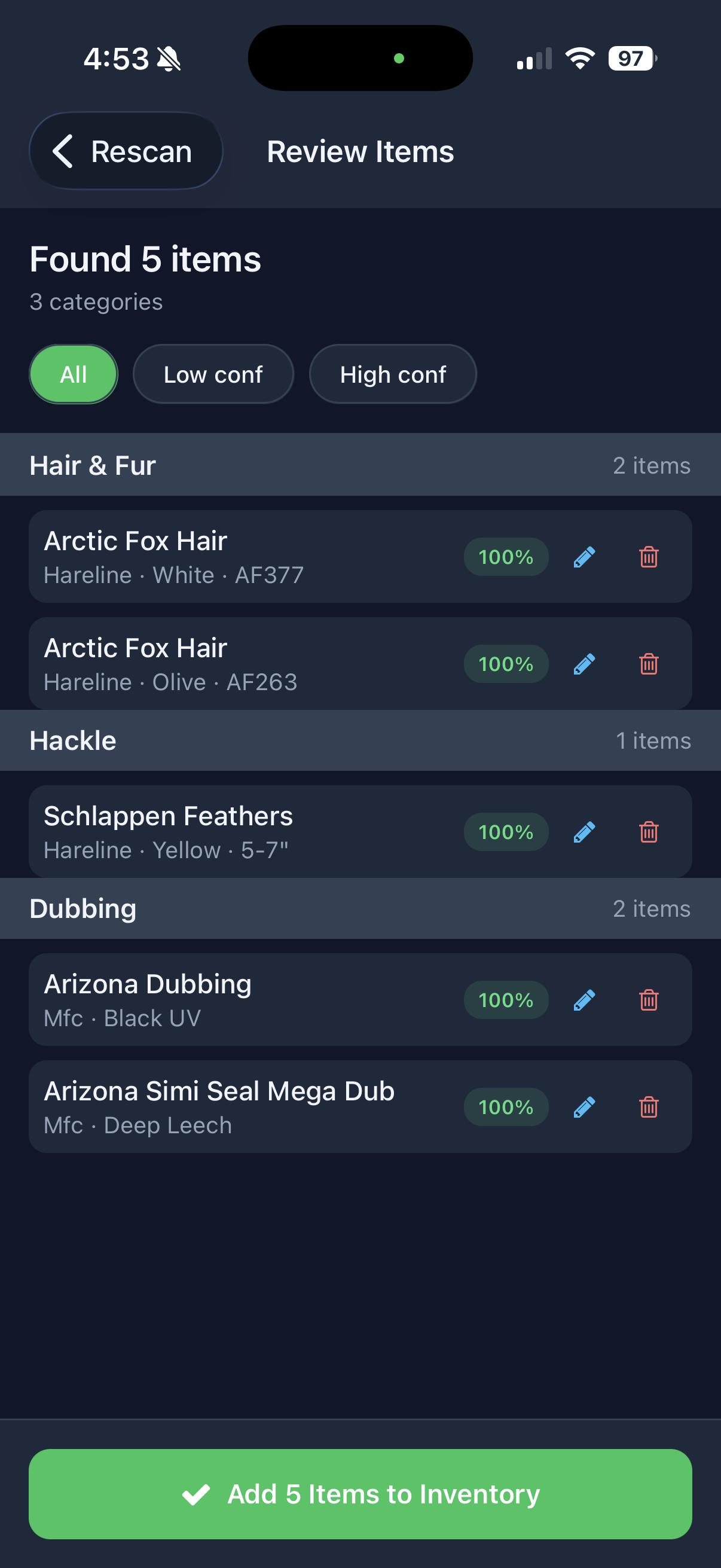
Confidence labels are model estimates, not an independently measured accuracy rate. This screenshot documents the review flow.
Let AI do the first pass.
Keep the person in control of the record.
02 / LUMACULL
PRODUCT NOTE · PHOTO WORKFLOWAfter a shoot, the first job is deciding what deserves another look. LumaCull gives that pass its own workspace.
Keep, Hold, and Pass describe intent. Passing a frame does not move the original file. The published workflow separates those decisions from explicit file operations and the handoff to Lightroom Classic.
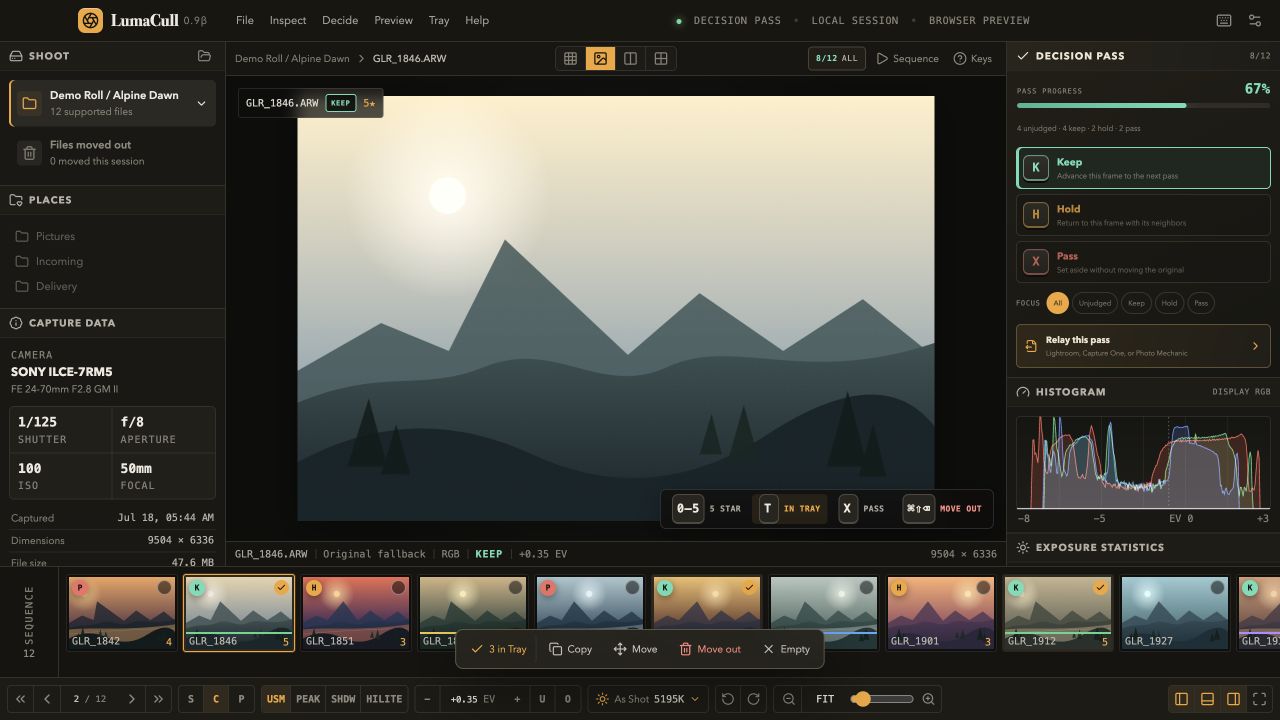
Advance the frame. Give a promising photograph a place in the next pass.
Leave room for uncertainty. Return to a near-duplicate or a frame that needs comparison.
Set the frame aside in the decision set. Keep that separate from moving or deleting its original.
The design lesson: a useful tool makes the consequence of an action clear.
See the full LumaCull workflow03 / THE WALLOW
FIELD NOTE · NORTHERN YELLOWSTONEA roll, a shake, a cloud of dust. The finished photograph is part of a longer observation.
The Wallow is a five-frame story photographed across July 25, July 30, and August 1, 2026. These three frames show how behavior and light change the picture.
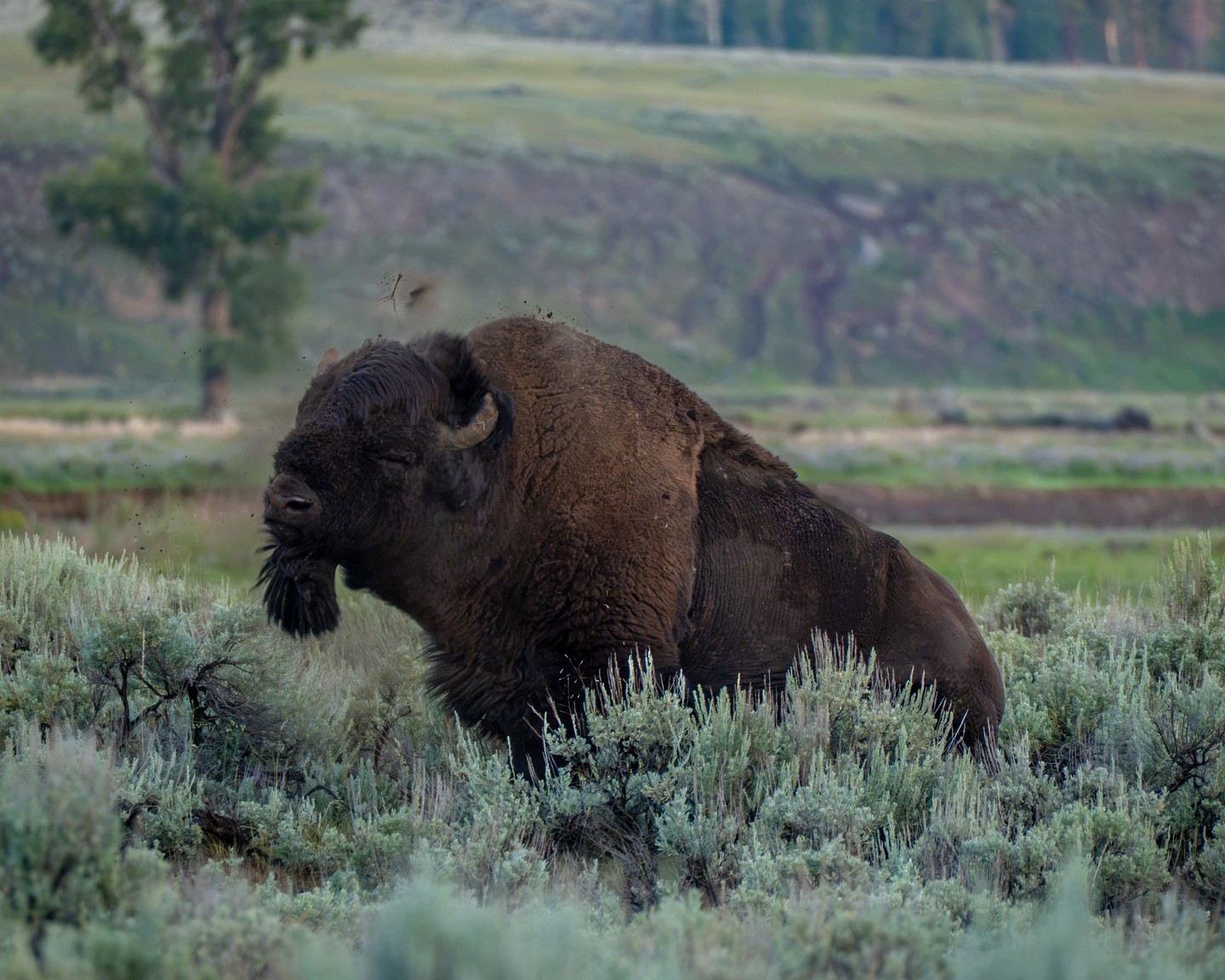
Movement in the head. Mud held in the air.
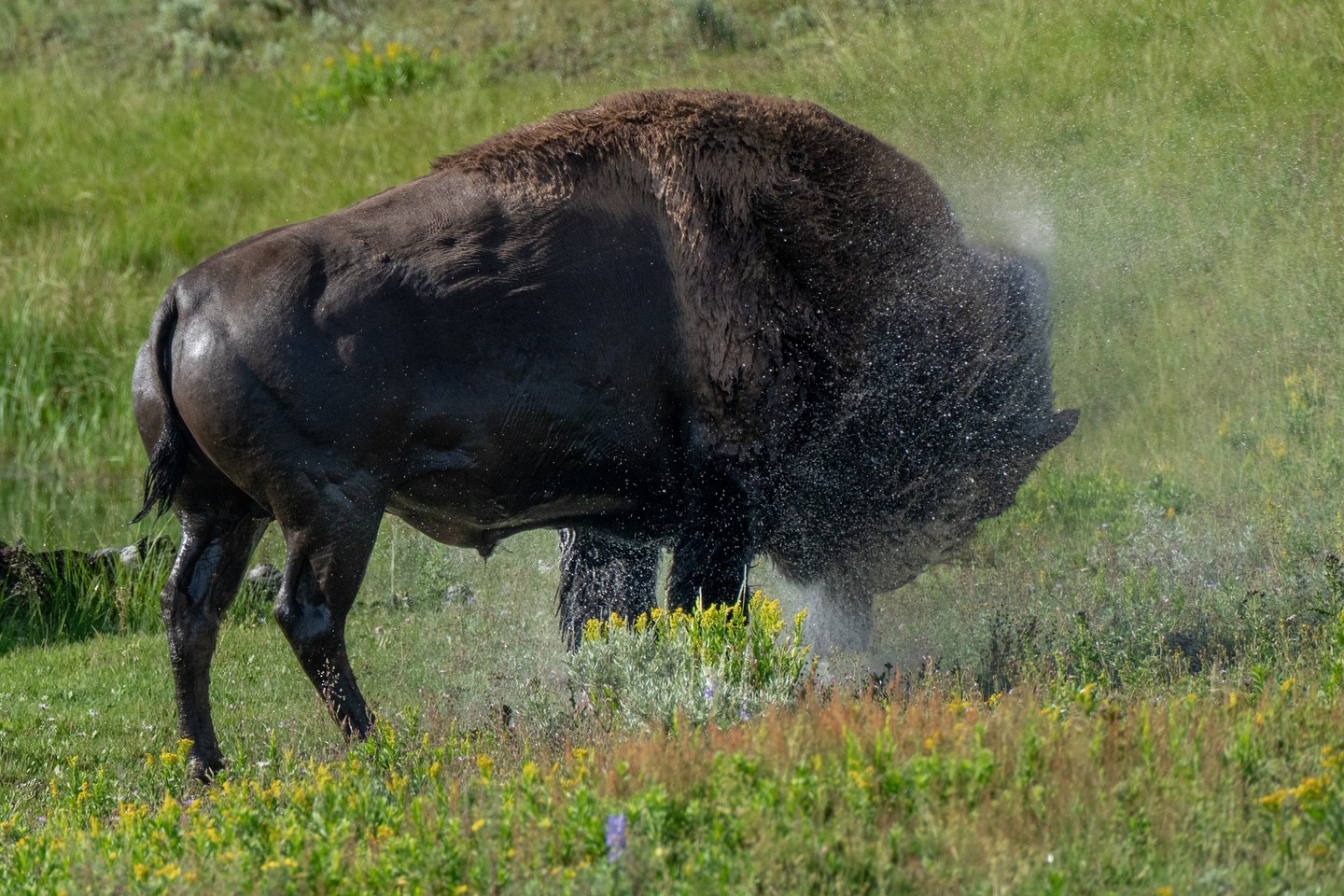
The same motion, described by backlit water.
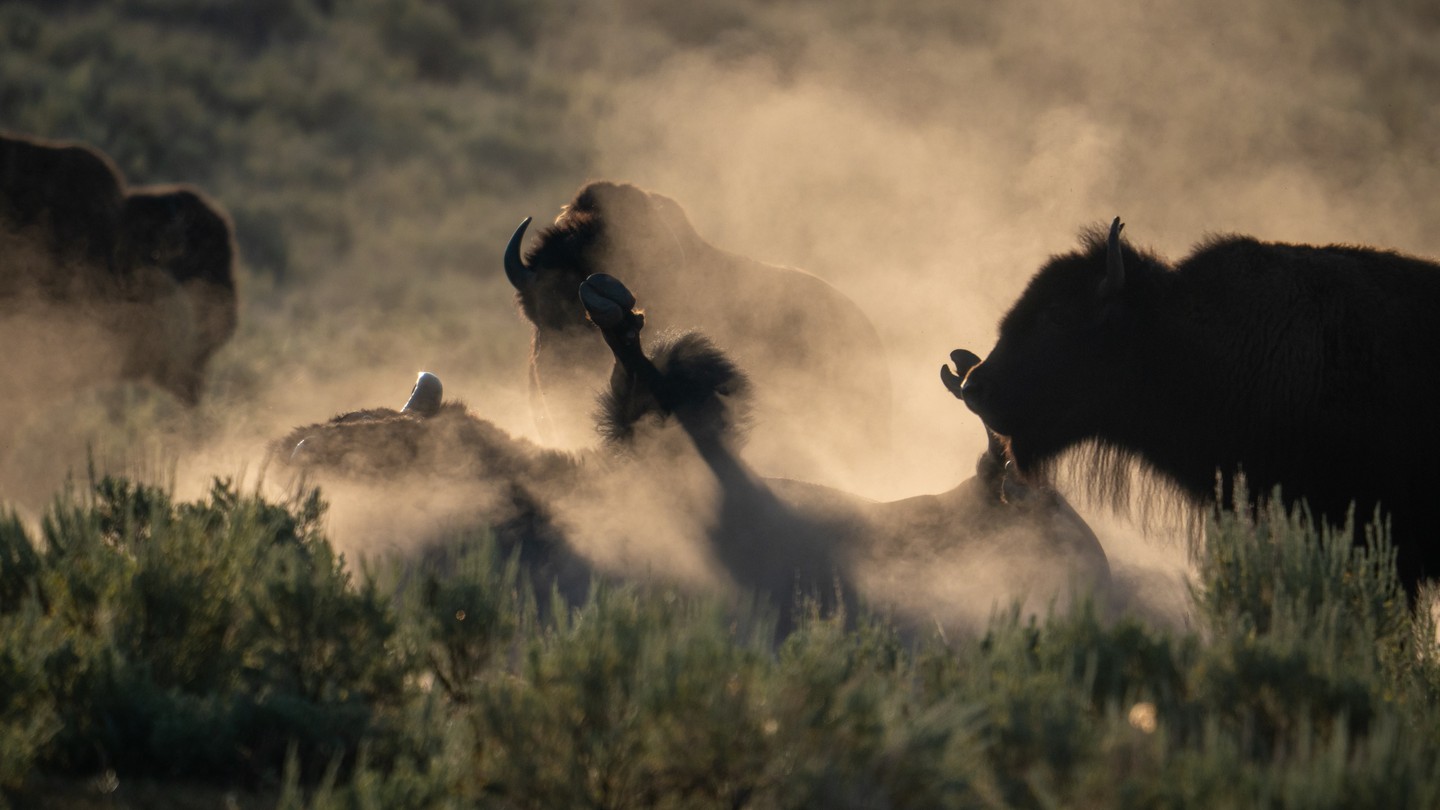
A wider frame lets the dust and the herd carry the scene.
Original photographs and capture times from Greg’s published field story.
Read the full five-frame storyPUT THIS WAY OF WORKING TO USE
Photography, a clearer website, a useful product, or a practical AI workflow. Tell me what you’re working on.